

Members
Our WhatsApp Community

We use WhatsApp as an informal way to keep parents, carers, Explorers, and leaders connected. Our community has separate chats for sections and activities so you can stay in the loop. Formal information, permissions, payments, complaints, safeguarding, and personal matters will still be handled by official group email, OSM, or another official route.
What the community is for
Our WhatsApp groups make everyday communication easier. Here's the kind of thing you'll typically see:
Meeting updates
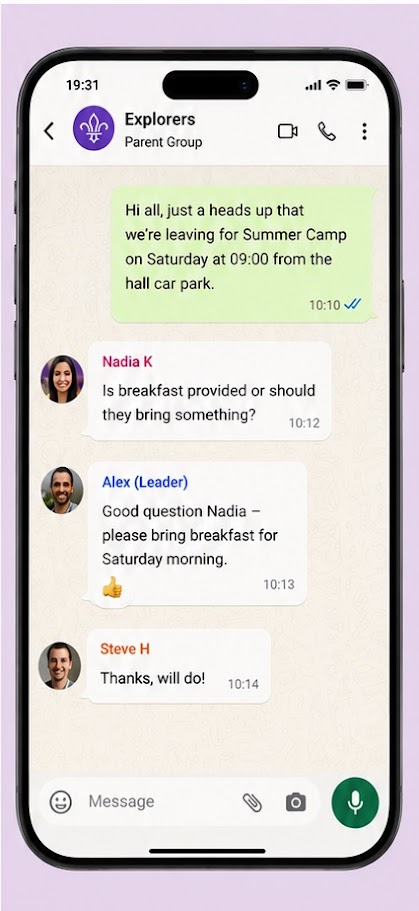
Last-minute changes to meetings, reminders, or a leader running a few minutes late.
Group news & announcements
Important updates, upcoming events, and information from your section leaders.
Parent connections
Chat with other families, share advice, and get answers to common questions.
Event chats
Temporary chats set up for camps and big events — closed once everyone's safely home.
Community guidelines
To keep things friendly and useful for everyone, we ask all members to follow these simple guidelines.
Please do
- Keep messages relevant to group activities and events
- Treat every member with kindness and courtesy
- Wait for official leader confirmation before acting on any information
- Use official group email for anything formal, sensitive, or non-urgent
- Ask before sharing photos where practical, and remove photos promptly if someone asks
Please don't
- Share personal contact details of other parents without their consent
- Discuss sensitive matters about individual children or leaders
- Leave up photos if another parent, young person, or leader asks for them to be removed
- Message leaders about non-urgent matters outside normal hours
What it looks like
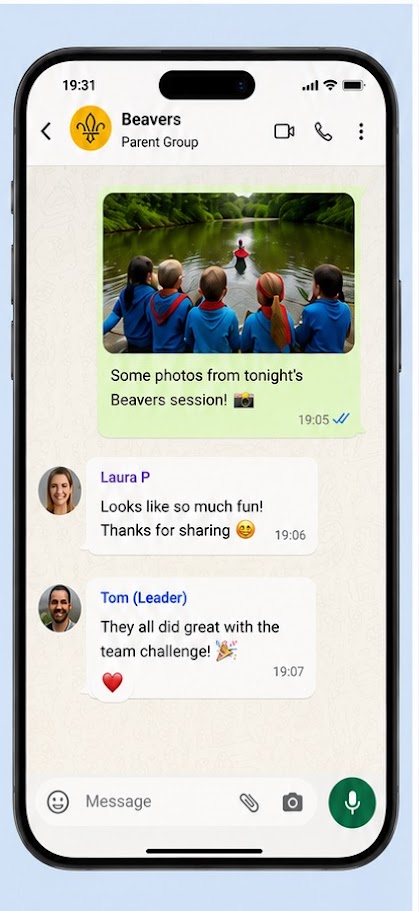
Here are some examples of the kind of conversations you'll see in the group.


Good to know
A few extra things that are worth being aware of as a member of our community.
Moving sections — or just getting to know them early?
Once you're in our WhatsApp community you'll be able to see all of the section channels. You're welcome to join any of them yourself — whether your child is moving sections soon, or you just want to start getting to know the next section's parents a bit early. There's no need to ask permission, just tap in and say hello!
We periodically check group membership
From time to time our leaders review the phone numbers in each chat against our records in Online Scout Manager. If a number doesn't match anyone we recognise, we'll err on the side of caution and remove them. If this happens to you by mistake — sorry! — just drop your section leader a message and we'll get you re-added straight away. We'd always rather apologise for a false alarm than have an unknown contact in our community.
Private chats for sensitive matters
Occasionally we may need a short-term private conversation with you — for example, if there is an ongoing behaviour matter and leaders need to keep you updated. Leaders may set up a separate hidden WhatsApp chat with you and at least two leaders. This is for informal coordination only, not an official record, and the chat will be closed once it is no longer needed.
Explorer chats for age 14+
Explorers may be included in an Explorer WhatsApp chat once they are 14 or over. These chats are for age-appropriate programme reminders and routine logistics only, and there will always be at least two leaders in the chat. Anything formal or sensitive will still go to parents or carers by official email or OSM.
Sharing photos
Parents sometimes share activity photos in WhatsApp. This is part of the informal parent community, but please ask first where practical and remove a photo immediately if another parent, young person, or leader asks. Only current member families should be in these spaces, but the group cannot fully control what parents choose to share.
Reporting a concern
If someone posts something that makes you uncomfortable, or if you have any safeguarding concerns, please do not raise it in the main chat. Instead, contact your section leader directly by email or private message. Our safeguarding page sets out every route for raising a concern, including reporting straight to the Scouts Safeguarding Team.
Getting access
Joining for the first time
Your section leader will send you an invite link when your child joins the group. You can also find the link pinned on the noticeboard in Online Scout Manager for your section — log in and check there first. Only ever join via the official link from a leader or OSM, never from a link shared by another parent.
If you've left and want back in
No problem at all — just let your section leader know and they'll send you a fresh invite. You're always welcome.
Handy tip — managing notifications
You can mute the group without leaving it. Open the group in WhatsApp, tap the group name at the top, and select Mute notifications. Handy for school hours or late evenings when you don't want to be disturbed.
Get your invite link by email
Enter the email address we have on file for you in Online Scout Manager and we'll send your WhatsApp community link straight to your inbox.
Need help getting access?
If you're having trouble or your email isn't recognised, get in touch and we'll sort it out.
Contact Us